4 minute read · Practical field guide
Define what native means in the product you use
A feature described as native may appear directly in the CRM while still relying on an underlying messaging service. An external connector may also provide a closely integrated experience. Ask which product owns the number, transports the message, stores history and processes the reply. The label alone does not answer those operational questions.
Describe one complete task before comparing options. For an order-ready update, identify the trigger, customer record, sender, incoming reply destination and staff owner. Include a change request that must update the order. This gives the administrator a practical way to compare the two arrangements without assuming that fewer visible screens always mean fewer dependencies.
Map the boundaries in the integration
Use the table as a worksheet for the exact CRM edition and messaging plan. Some capabilities may require additional configuration or another product tier. Ask for a demonstration on the record types you actually use, including custom objects where relevant. A contact-level example may not establish support for the order or service-ticket workflow your team needs.
Keep the answer to each question with its source: documentation, a written clarification or your configured test. This makes it easier to revisit the decision when a field, vendor or workflow changes.
| Boundary | Built-in feature to verify | External connector to verify |
|---|---|---|
| Record support | Which CRM objects and fields are covered | How objects and identifiers are mapped |
| Incoming replies | Where ownership and history appear | How events reach the correct CRM record |
| Administration | Which CRM roles can configure messaging | Which systems need separate administrators |
| Support | Who investigates transport and record errors | How vendors share a traceable incident |
Prove the return path to the working record
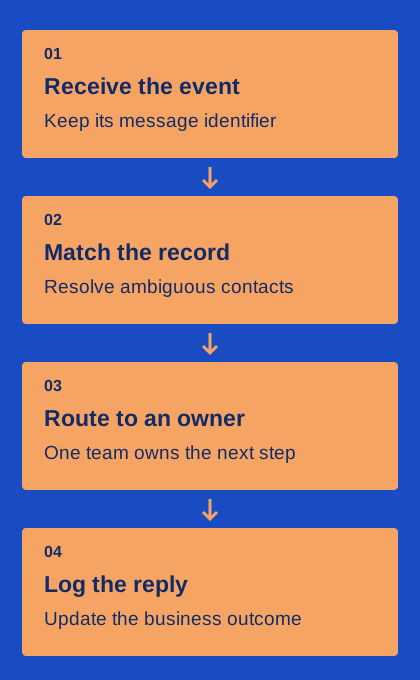
A sent message in an activity timeline is only part of the evidence. Reply from an authorized test contact and inspect where the answer appears. Check who owns the next action and whether the thread can distinguish two active orders for the same contact. Use a changed request that requires a real update to the operational record.
If matching is uncertain, the system needs a visible exception path. Record how an administrator or agent corrects the destination and whether that correction affects future events. This matters for both built-in tools and external connectors. The useful result is a staff member who can trust the record, not merely an integration that reports a successful event transfer.
Assign responsibility for configuration changes
CRM fields, automations and staff roles change over time. Identify who maintains the messaging configuration and how a proposed change is tested. A renamed field or modified workflow can affect routing even if the transport service is healthy. Keep a small map of required fields, identifiers, owner rules and communication-preference sources.
For an external connector, include the connector’s version and configuration in that record. For a built-in feature, include the CRM settings and permissions it depends on. A new administrator should be able to understand the setup without replaying the original sales demonstration. This documentation is useful when troubleshooting ordinary changes as well as planning a migration.
During the demonstration, change a test record’s owner and inspect the next reply. That small change can reveal whether routing follows the current record or an earlier cached assignment.
Compare support using one traceable incident
Ask how the vendors would investigate a customer reply that exists in the messaging service but is missing from the CRM. Identify the event identifier, record reference, timestamps and error information needed to locate the failure. Determine who owns the customer-facing recovery while the technical cause is being investigated.
Keep a sample incident record from your acceptance test. It should show the boundary where the evidence stops and the next check to perform. Avoid a support plan that requires staff to prove which vendor is responsible before anyone starts investigating. The arrangement can involve several providers and still be workable if the trace and ownership are clear.
Evaluate the ongoing arrangement, including exit
Compare the quote, administrative effort and portability requirements for the full workflow. Check whether history, attachments, identifiers and open tasks can be retained or moved in the way your business needs. Confirm the actual number and account arrangements before assuming the messaging layer can be swapped independently of the CRM.
Finish with a decision that names the operational owner, supported records, remaining limitations and acceptance checks. A built-in option may reduce some setup work; a connector may provide a required capability. The fit depends on your configuration and maintenance capacity. Keep that reasoning visible so the next system change can be evaluated against the same customer task.